
Codeshare Flight Numbers: Find the Airline Actually Operating the Flight
A booking and an airport board can show different numbers for one flight. Learn how marketing and operating flight details fit together before checking a family member's arrival.
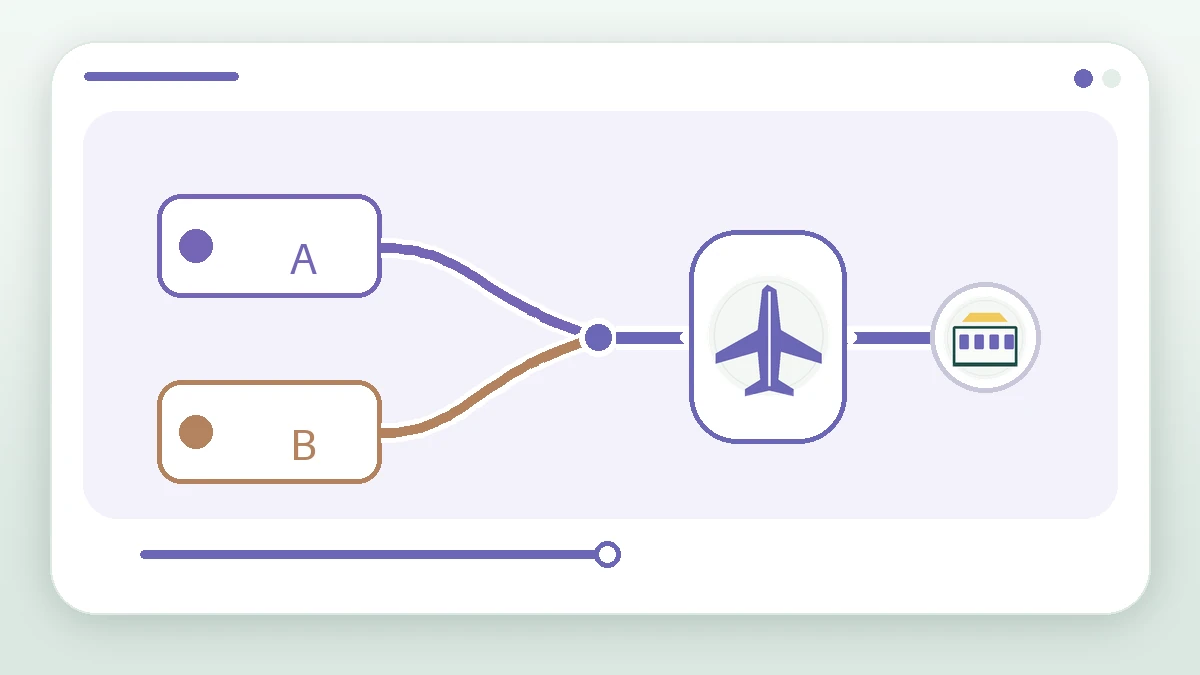
A family member searches the flight number on an itinerary, but the airport board shows a different number. A codeshare may explain the mismatch: more than one company can sell a seat on the same operating flight. The useful distinction is between a marketing number and the flight that is actually operated on that date.
Two labels can refer to one operating flight
IATA describes a marketing carrier as one that sells a flight under its own code when another carrier operates it. For family checking a trip, the task is to identify the operator of the aircraft, not memorize every number. A booking confirmation commonly states who operates the service; if it does not, ask the airline to confirm the current itinerary.
Video transcript
One operated flight can be sold under more than one flight number. Read the itinerary for the operating carrier, then match date, origin and destination. If a marketing number does not appear on a board, check the operating flight with the airline or airport before drawing conclusions.
Match the correct leg in four checks
- Find 'operated by' or an equivalent field on the itinerary, and note the operating flight details.
- Match the departure date and both airports. An overnight arrival may fall on the following local date.
- Check the operator or airport's day-of-flight information for the latest time and status.
- If the numbers still disagree, do not guess from the route alone; ask the crew member or airline to verify the revised itinerary.
Why a crew roster and a passenger itinerary can differ
A crew roster, booking confirmation and airport board serve different readers. They may display different identifiers for a related service. Feiban organizes the leg supplied by the crew member; when a lookup cannot verify the correspondence, TBC is more honest than borrowing a similar number's time. For a pick-up, consult current operating-flight and airport information.
Frequently asked questions
Does a codeshare mean two aircraft?
One codeshare leg normally has one operating aircraft and multiple marketing identifiers. A connecting itinerary can still contain separate flights, so check every leg individually.
Is a flight cancelled if its marketing number is missing?
Not necessarily. Find the operating flight and match date and route; a board may show only one identifier. Confirm cancellation directly with the airline or airport.
Which board should I use for an airport pick-up?
Start with the destination airport's board, then cross-check the operator named on the itinerary. Follow the airport's current terminal and exit instructions.
IATA: boarding pass guide, carrier glossary — Its glossary distinguishes the marketing carrier from the airline actually operating the flight.
IATA: future of interline white paper — Explains the relationship between marketing and operating carriers.
When a flight time remains TBCKeep the original leg intact when its time cannot yet be verified.